Plan the system before your
AI Agent writes a line of code.
Your agent doesn’t read minds. It reads specs.
Describe your idea.
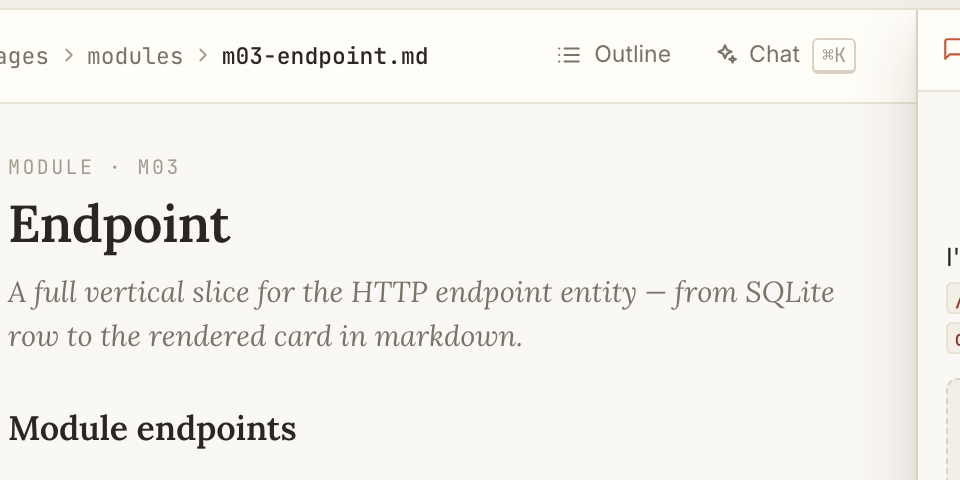
Chat with the Spec Agent — or edit pages/*.md by hand. The agent matches your writing style and turns your prose into definitions: endpoints, DTOs, tables.
Which #team are you on?
Tech leads & architects
Own the spec for their team. Want a single source of truth that reviews in a PR — and references that resolve, not a wiki page that rots.

Solo founders & vibecoders
Vibecoding an MVP with AI. Want a plan the agent builds against — structure that keeps the app from drifting into spaghetti.

Teams building agentic workflows
Run their own agent harness. Want it to query a structured plan over MCP — spec-driven control over what the agent generates.

Builders starting from a spec
Want an app generated from a proven spec, not a blank page. Clone a published spec by slug, adapt it locally, let the agent generate the code.
Browse specs →Start writing spec in one command.
Local-first, open source, no signup.
npx @inharness-ai/claude4spec…then choose your spec style
A spec style defines how your specification is structured.
Today: Sliced Layered. More coming.
Vertical slices × horizontal layers. Each module (M01…M..) ships a feature end-to-end; each layer (L1 Persistence … L5 Testing) is one concern across all modules.
Read more →comingGot a writing style your team uses — hexagonal, screaming architecture, layered-by-feature? Open an issue and we’ll prioritize.
Suggest one →Don’t plan from zero.
Clone a spec, then generate.
Find a spec that fits your needs. Clone it locally, adapt it, then generate.
npx @inharness-ai/claude4spec --clone <slug>Find a slug in the catalog above. Clone it locally — the full spec reads in your local app after clone.
More than an editor.
More than a chat.
Author by hand or with the agent, plug it into your tooling, then version and publish. One environment — many surfaces.

Write it your way
By hand or with the agent — same spec, same structure.
A real editor — edit by hand
Slash commands, inline chips, autosave. Simple text changes don’t need an agent — open a page and type.
A spec agent that edits the plan
A specialized agent built to author the spec. It works through the same structured tools you use by hand — changes land in the spec, not a transcript.
Pick how the spec is shaped
Not every system documents the same way. Choose a writing style and every page follows the same structure for its target.
Prose backed by typed data
A spec is more than text. Typed entities and indexed anchors link into the prose — the backbone that keeps the whole thing consistent.

More than a chat
Local, scriptable, open to your agents.
Drive it from CLI and MCP
Run the app and the spec agent over CLI and MCP. Wire your own workflows with implementation agents — or a whole fleet of them.
Hand any agent your spec
Ships with c4s-spec-reader and c4s-brief-implementer skills, so outside agents read the spec and implement its briefs.
Runs on Node, nothing else
The local app keeps everything in SQLite. Install and run is trivial — all it asks for is Node 20+.
Your spec lives in your repo
The app runs locally and the spec is Markdown files. Commit it, branch it, review it in PRs like any code.

Evolve and share
A spec is a living asset, not a frozen doc.
Releases keep the history
Cut releases and keep the record of how the spec — and the system — changed with the business.
Hand a builder what changed
Generate a narrative brief from the diff between two releases, so the implementer focuses only on the change.
Close the loop after the build
When code reveals a gap, the implementer writes a patch back to the spec — keeping spec and code from drifting apart.
Publish a spec, share it
Push a snapshot to the hub and anyone can clone it. Publishing is opt-in — your working spec stays local.
.claude4spec/A real folder, not a diagram.
.claude4spec/
├── briefs/          # 19 files — one per version transition
│   ├── initial-0-0-1.md
│   ├── 0-0-1-to-0-0-2.md
│   ├── 0-0-2-to-0-0-3.md
│   └── … 16 more
├── patches/         # 32 files — drift between brief & impl
│   ├── 0-0-1-to-0-0-2-l4-scope.md
│   ├── 0-0-1-to-0-0-2-migration-tool.md
│   └── … 30 more
├── skills/          # entity lookup & brief execution
│   ├── c4s-spec-reader/
│   └── c4s-brief-implementer/
├── config.json        # pagesDir, mode, version
├── mcp.json           # MCP server registration
└── db.sqlite          # local entity store (typed)
briefs/One markdown file per release. What changed, why, what’s next.patches/Drift records. When implementation found gaps in the brief.db.sqliteTyped entity graph. The agent queries this over MCP.pages/*.mdYour spec (lives at repo root). Markdown your team reviews in PRs.↑ This is what claude4spec adds to your repo. Nothing else lands in your PATH.
Questions you’re likely to ask.
How is this different from Notion or a wiki?
Notion is general-purpose. claude4spec is a planning layer: structured entities (endpoints, DTOs, tables) with typed relations and find-references your agent can query — something a knowledge base can’t give you.
Is this a wrapper around Claude?
No. The editor, entities and version history work independently of the chat. The agent is one of several ways to interact — use the UI on its own, or drive entities from Cursor or Windsurf over MCP.
Why not just use Cursor Rules or CLAUDE.md?
Rules are runtime constraints for how your agent behaves. claude4spec is a plan of what the system is supposed to be — structured entities, typed relations, find-references. Different layers; you can use both.
Do I need an API key?
No separate setup. The claude CLI runs as a local process using your existing Claude Code session — the same login, zero extra cost if you already run Claude Code.
Cloud or local?
Local-first by default. Your working spec lives on your machine (.claude4spec/ and pages/*.md). Publishing to the hub is opt-in: when you push, that snapshot goes public — like git locally vs pushing to GitHub.
How do I uninstall?
npx @inharness-ai/claude4spec installs nothing globally. Nothing lands in your PATH, so there’s nothing to uninstall. To clean up a project, delete its pages/ and .claude4spec/ directories.